Amazon Connect
Amazon Connect is a cloud-based contact center service that enables businesses to provide omnichannel customer service (voice and chat) with pay-as-you-go pricing. It’s scalable, easy to set up, and integrates with AWS services to provide intelligent, automated, and human-assisted interactions. It provides a unified view of all contact center functionality and configurations.
- Key Features
- Security & Control
- Common Use Cases
- Setup, Login, and Dashboard Overview
- Amazon Connect dashboard features
- Example Use Case: Bank Customer Calls to Check Balance
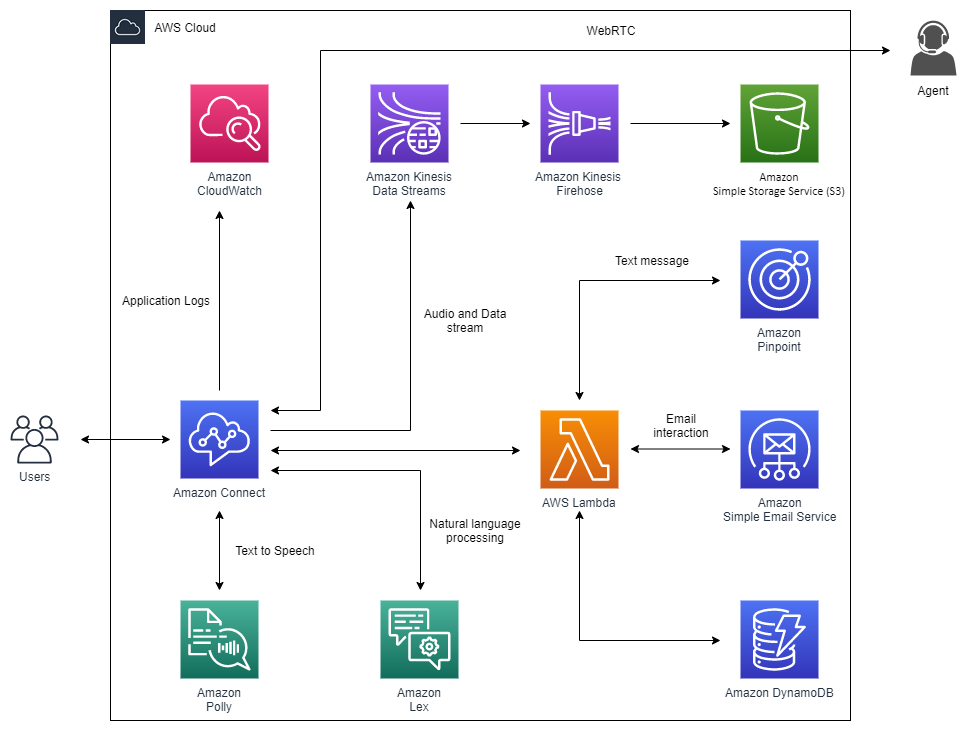
Key Features
- Omnichannel: Supports both voice and chat.
- No upfront cost means, Pay only for usage. Per-minute for voice/chat.
- AI/ML Integration:
- Amazon Lex for natural language
chatbots. - Amazon Polly for
text-to-speechresponses. - Amazon Transcribe for
real-time call transcription. - Amazon Comprehend for
sentiment analysis.
- Amazon Lex for natural language
- Use AWS Lambda to connect to databases or business logic.
- Easily scales to handle thousands of agents.
Security & Control
- Uses IAM roles/policies for access.
- Encrypts call recordings and customer data using AWS KMS.
- Compliance: HIPAA, GDPR, PCI, etc
Common Use Cases
- Banking and Finance customer service
- Retail order tracking and support
- Healthcare appointment scheduling
- IT Helpdesk automation
- Replaces traditional call center infrastructure.
Other Details
- It is a managed application and does not code, build, or publish new websites.
Example Use Case: Bank Customer Calls to Check Balance
Scenario: A customer calls the bank’s customer service to check their account balance.
- Customer dials the bank's supportnumber (hosted in Amazon Connect).
- Amazon Connect answers the call using a contact flow.
- Amazon Lex interacts with the customer to ask for account number.
- Customer responds (via speech or keypad).
- Lex passes the input to an AWS Lambda function.
- Lambda retrieves the balance from a backend database (e.g., DynamoDB, RDS).
- Amazon Polly converts the balance into speech and responds to the customer.
- If needed, Connect routes to a human agent with chat/call history.
Setup, Login, and Dashboard Overview
Launch Amazon Connect Instance from AWS Console
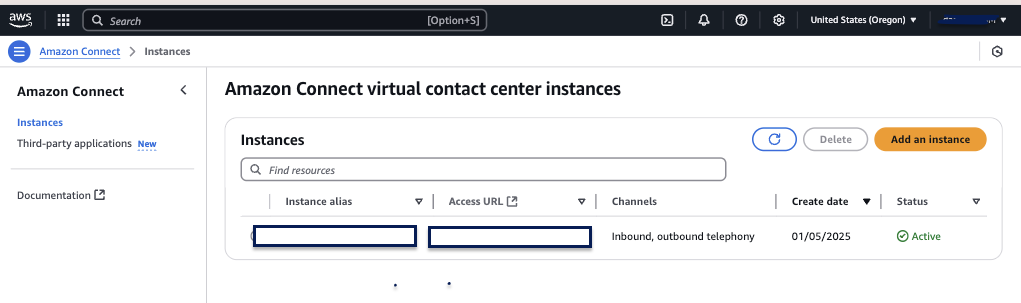
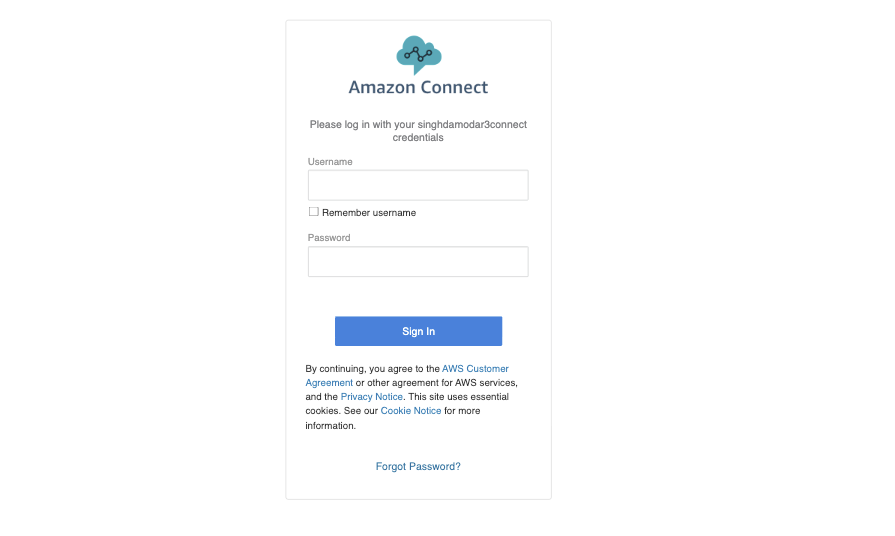
Login URL generated after instance creation: https://XXXX.my.connect.aws/login.
Explore the Amazon Connect Dashboard
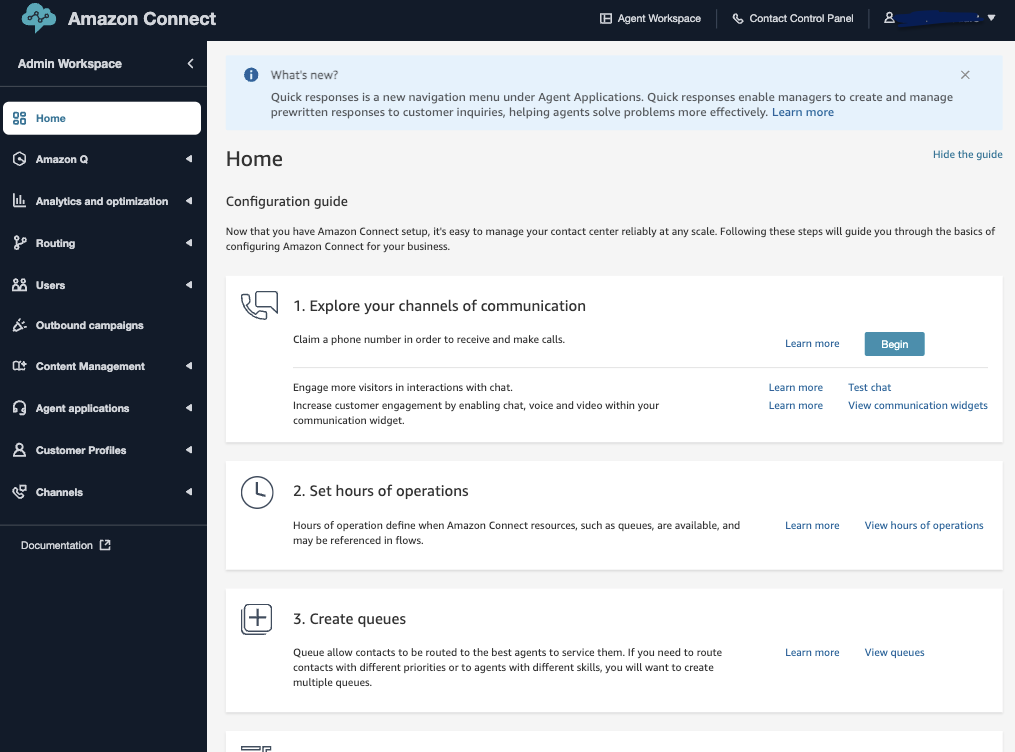
Amazon Connect dashboard features
- Amazon Q – AI assistant for agents, offering real-time guidance, summaries, and recommendations.
- Analytics and optimization – View and analyze performance metrics to improve contact center efficiency.
- Routing – Configure contact flows and routing profiles to control how interactions are directed.
- Users – Manage users, roles, permissions, and agent settings.
- Outbound campaigns – Set up and manage automated outbound calling campaigns.
- Content Management – Store and manage reusable content like scripts, prompts, and knowledge articles.
- Agent applications – Customize and manage the agent interface and tool integrations.
- Customer Profiles – Create unified customer profiles using data from various AWS and external sources.
Question: Amazon Connect console - Routing
A customer experience designer wants to create a new flow to customize the interactive voice response (IVR) experience for customers. Which section in the Amazon Connect console should they access?
- Routing (
Correct Answer) - Analytics and optimization
- Channels
- Users
Explanation: The Routing menu includes Flows, where customer experience designers can define how a customer experiences the contact center from start to finish, including customizing the IVR system.